

Tech Tip: Sharing a specific job post with someone via a link from the King County website
We often have people email asking how to share a job post with someone. They know how to print it or send the link to the jobs page but are unsure how to send a single job to someone. Below are the easiest instructions to share a specific job.
- From the jobs search page, right click on the job you are interested in and a menu will appear (see attached image).
- Then select the option for “Open link in new tab” OR “Open in new window” which will open the job in its own tab or window within your internet browser.
- On that new tab/window with the job listing, right click within the link at the top and another menu will appear.
- From here choose the option for “Copy” and the entire link will then be copied, and you can paste it wherever you would like, including with an email.
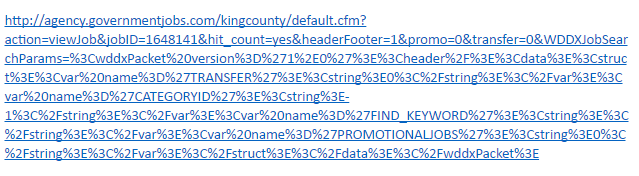
The link will be very long, but as long as you have the entire thing copied, anyone should be able to click on and open it. For example, the link would look similar to this:
Alternatively, here is a slightly different way that produces a shorter URL:
- From the jobs search page, click on the job title.
- When the job opens, click on “Print Job Information”
- This will open the link in a tab or window.
- On that tab/new window, right-click within the link at the top and another menu will appear.
- From here choose the option for “Copy” and the entire link will be copied, and you can paste it wherever you would like.
This link will be shorter, appearing as this: http://agency.governmentjobs.com/kingcounty/job_bulletin.cfm?JobID=1671707






 Employee News