King County Security Tips – Malvertising

Visit any website these days and it’s very likely that you will be viewing ads as well. Sometimes these ads can be tempting, with many offering sales, promotions, or freebies to attract more clicks. Ads on certain websites can even be targeted specifically to you based on past browsing history, making you even more likely to click! Remember this: Just because you are on a reputable, well-known website, it does not mean that the ads on the website are safe to click as well. How adspace can become infected: Advertisers do not sell their… Read More
King County Security Tips – Lock your screen
Locking your screen when you get up from your desk is a security action that is often overlooked and can have dangerous consequences. Failing to lock your screen can open you up to several vulnerabilities–some more serious than others. Although many organizations have a policy which automatically locks your screen with a screen saver after a certain amount of inactivity, not all screen savers are password-protected, leaving your workstation defenseless. Here are a few actions the bad guys can do when you leave your workstation unlocked and unattended: Files can be downloaded… Read More
King County Security Tips – HTTPS the ‘S’ stands for secure
If you have ever signed in to a website such as Facebook or Amazon, you will notice that on the login page, the URL will change from ‘http’ to ‘https’. What that little ‘s’ stands for is secure. It means that your web browser and the website have both agreed to communicate securely so that no other individuals will be able to ‘listen in’ on your conversation. If you needed to communicate some sensitive information such as a password to someone else, you would not shout out in the open ‘HERE IS… Read More
“Report Phishing” button in Outlook email
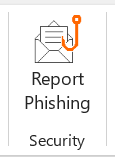
King County has an easy way to report suspicious emails which may be phishing attacks. In Outlook you should see a button in the Home tab of the ribbon bar called “Report Phishing.” Here’s what the button looks like in the top ribbon (if you don’t see the button, try changing your view settings): When do I use it? Click the Report Phishing button anytime you believe the email you received is a phishing email or a potentially dangerous email. Using the Report Phishing button will send the email you report straight to our security team and… Read More
King County Security Tips: Is that email really from HR?
One of the easiest ways the bad guys trick you into falling victim to their fraudulent scams is to exercise a sense of trust by pretending to be someone you know. More than likely, you receive emails from your Human Resources team on a frequent basis. Scammers take advantage of this constant communication by crafting spear phishing attacks using emails that spoof your HR team. Spear phishing attacks are email scams that typically target an individual or organization by spoofing, or appearing to come from a trusted sender. Don’t blindly trust emails… Read More
Cybersecurity training due Jan. 31, 2025
All employees and vendors with access to King County systems must complete Cybersecurity Training by Jan. 31, 2025. Log in here to complete your assigned training with our education partner, KnowBe4. Training takes about 60 minutes. Annual security training is an important activity that safeguards King County systems, and the number of employees who complete training each year impacts our insurance rates. Thank you for doing your part to protect King County! For assistance, contact the KCIT Helpdesk
Tech Tip: Practice good IT “hygiene” – restart your computer regularly
Did you know your computer’s operating system is updated several times a year? This update happens behind the scenes, but requires you to restart your computer. This restart can take several minutes. Your computer may offer to reschedule this required restart until later, but will only allow you to postpone once or twice – you can’t delay the update forever! Most updates include important features such as new virus protections that are critical for the safety of King County’s systems. Please practice good IT “hygiene” and restart your computer regularly! Be sure… Read More
Generative artificial intelligence (GenAI) guidelines for King County employees
King County’s new guidelines set expectations for the responsible use of generative artificial intelligence (GenAI) in the workplace. These guidelines were developed collaboratively by KCIT and OERSJ, according to state and national standards. GenAI systems create new content such as text, audio, images, and video by learning patterns and relationships within vast data sets. Although this exciting new technology can enable tremendous efficiencies, it is essential King County employees use GenAI responsibly. The guidelines are designed to reduce bias and protect sensitive personal data the public has entrusted to us. Key points include: All employees should read the GenAI guidelines Employees may… Read More
Tech Tip: USB Sticks (User Snare Bait)
Have you ever found a USB Stick/Thumb Drive, or a CD on the ground or in a parking lot? Hopefully you did not put this into your computer.While you may be tempted by curiosity to see what data is on there, or perhaps to identify the owner, Do Not insert any of these found objects into your computer. You may think that it is your lucky day… ‘Hey, Free USB Stick!’, but in fact it could turn out to put you in a hot seat with your IT department. This is a common… Read More
Look for “KnowBe4” email with cybersecurity training links on July 15

On July 15, King County’s trusted vendor KnowBe4 will send a countywide email with links to cybersecurity training. This is a legit email, not a phishing attempt. Annual cybersecurity training is required for all employees and contractors with access to King County systems. Training must be completed by Dec. 31, 2024. Cybersecurity training is an important safeguard that helps protect vital King County systems. The number of employees that complete training each year impacts King County’s insurance rates. Total instruction time for the training is about 60 minutes. If employees cannot find the email with the… Read More