
Generative artificial intelligence (GenAI) guidelines for King County employees

King County’s new guidelines set expectations for the responsible use of generative artificial intelligence (GenAI) in the workplace. These guidelines were developed collaboratively by KCIT and OERSJ, according to state and national standards. GenAI systems create new content such as text, audio, images, and video by learning patterns and relationships within vast data sets. Although this exciting new technology can enable tremendous efficiencies, it is essential King County employees use GenAI responsibly. The guidelines are designed to reduce bias and protect sensitive personal data the public has entrusted to us. Key points include: All employees should read the GenAI guidelines Employees may… Read More
Tech Tip: USB Sticks (User Snare Bait)
Have you ever found a USB Stick/Thumb Drive, or a CD on the ground or in a parking lot? Hopefully you did not put this into your computer.While you may be tempted by curiosity to see what data is on there, or perhaps to identify the owner, Do Not insert any of these found objects into your computer. You may think that it is your lucky day… ‘Hey, Free USB Stick!’, but in fact it could turn out to put you in a hot seat with your IT department. This is a common… Read More
Look for “KnowBe4” email with cybersecurity training links on July 15

On July 15, King County’s trusted vendor KnowBe4 will send a countywide email with links to cybersecurity training. This is a legit email, not a phishing attempt. Annual cybersecurity training is required for all employees and contractors with access to King County systems. Training must be completed by Dec. 31, 2024. Cybersecurity training is an important safeguard that helps protect vital King County systems. The number of employees that complete training each year impacts King County’s insurance rates. Total instruction time for the training is about 60 minutes. If employees cannot find the email with the… Read More
IT Helpdesk “walk-up window” now available at King Street Center
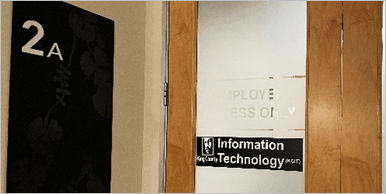
Updated Feb. 8, 2024 For assistance with minor tech issues, Executive Branch employees may visit the new IT Helpdesk Walk-Up Window at King Street Center. Unlike other Helpdesk locations, you can visit the IT Window without an appointment every Mon. – Thur. from 8:30 a.m. to 2 p.m. (except for holidays). KCIT’s expert staff can help with quick fixes such as password resets, audio issues, or battery problems. You can also replace basic equipment like a faulty headset, charging cable, keyboard, or mouse by simply exchanging it at the IT Window. King Street… Read More
Security tip – Watch out for QR code phishing scams
Recently, several King County employees have received emails with instructions to re-authenticate their passwords by scanning a QR code. Do not scan the QR code. This is a new “phishing” tactic from cybercriminals. Although these sophisticated emails often look like genuine security alerts, please be aware that King County does not use QR codes to re-authenticate passwords. Only scan QR codes from trusted, expected sources. Please use the “Report Phishing” button in Outlook to report any suspicious emails. Thank you for helping keep King County safe from cybersecurity threats!
King County Security Tips – Unexpected emails
When you receive an email from an online service or business partner that you are not expecting, proceed with caution. For example, if you receive an email from eBay stating that you have just won an online auction, there are a couple of questions you should ask yourself. Are you a member of eBay? (This goes for online banking as well. If you receive an email from a bank you do not have an account with, do not click any links) Did you bid on any auctions recently? (If you did not… Read More
King County Security Tips – Post-its are not for passwords
Do you keep a login and password written down on a Post-it or piece of paper near your desk? If so, you should get rid of it by following your company’s sensitive document disposal policy. If your company does not have such a policy, you should use a paper shredder to dispose of the Post-it. Do not simply place the Post-it in the trash. While it may be tough to remember a login and password for all of the sites and portals you belong to, writing the passwords down on a piece of paper, or… Read More
Security Tip: HTTPS the ‘S’ stands for Secure
If you have ever signed in to a website such as Facebook or Amazon, you will notice that on the login page, the URL will change from ‘http’ to ‘https’. What that little ‘s’ stands for is secure. It means that your web browser and the website have both agreed to communicate securely so that no other individuals will be able to ‘listen in’ on your conversation. If you needed to communicate some sensitive information such as a password to someone else, you would not shout out in the open ‘HERE IS… Read More
King County Security Tips – Keep Devices and Software Up to Date
You know that little pop-up prompting you to restart your computer for a software update? The one that only seems to come up when you’re in the middle of something important? As annoying as it may seem, this notification is actually a valuable asset to your cybersecurity. So, before you click the “Later” option, let’s take a closer look! What is a software update? A software update is a new and improved version of a program, application, or operating system that you are already using. The update may include new features, bug… Read More
Tech Tip: Personally Identifiable Information
What is sensitive information? Sensitive information is privileged information which – if compromised through alteration, corruption, loss, misuse, or unauthorized disclosure – could cause serious harm to an individual or organization. You must always give the highest level of protection to privileged information. Here we discuss Personally Identifiable Information, or PII. What is Personally Identifiable Information?For the purpose of data protection, PII is defined as: any instance of an individual’s first name (or first initial) plus the last name, and any one of 29 additional confidential items. An example of these twenty-nine… Read More






 Employee News